
TABLE OF CONTENTS
Introduction to Serial Number Management
For high-value products such as electronics, luxury goods, medical devices, and warranty-backed items, tracking inventory at the individual unit level is essential. LOCAD's Serial Number Management enables end-to-end traceability by recording the unique serial number of every item from inbound receiving through outbound fulfillment, ensuring full transparency, warranty validation, and return protection.
Walkthrough
Step 1: Product Setup in LOCAD
To enable serial tracking, the configuration must be set up at the individual inventory product level.
Option A: Individual Product Setup (via LOCAD Merchant Portal)
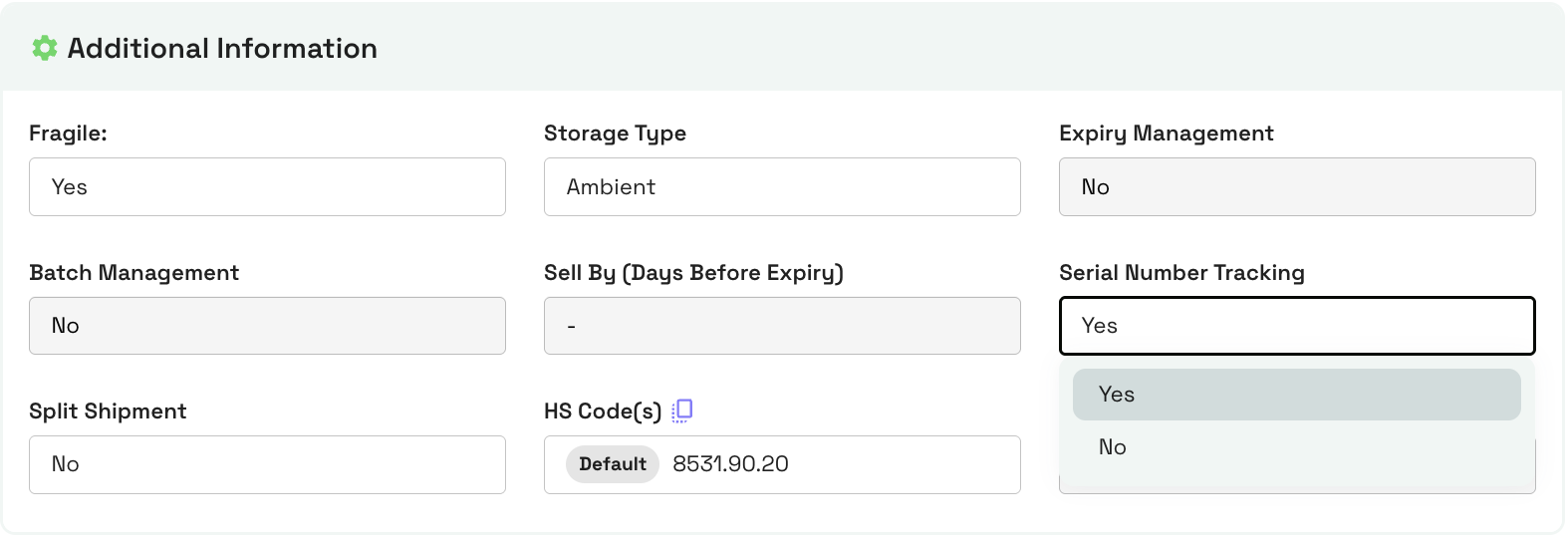
- Go to Products > Inventory Products.
- Open the inventory product you want to update.
- Check the Serial Number Enabled checkbox.
- Click Save.
Option B: Bulk Product Setup (via File Upload)
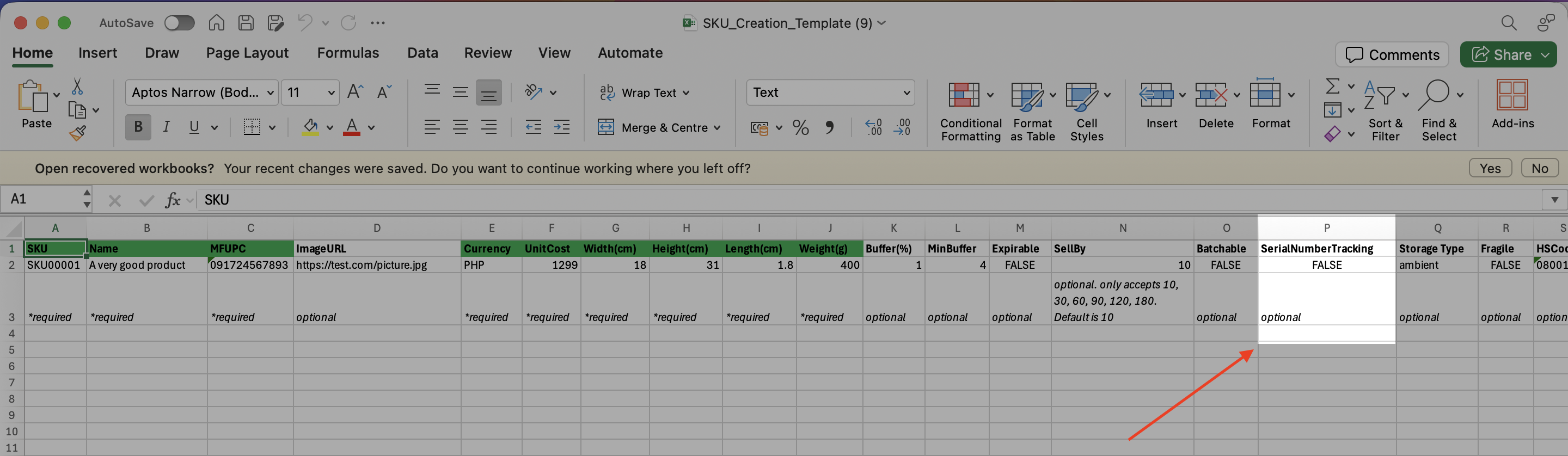
- Go to Products > Inventory Products > Bulk Upload.
- Download the product upload Excel template.
- Locate the Serial Number Enabled column and set it to True for the desired SKUs.
- Upload the completed file back to the Merchant Portal.
Step 2: Inbound Receiving at the Warehouse
When serialized inventory arrives at a LOCAD fulfillment center, each unit is individually registered during the receiving process.
- Unboxing & Detection: The warehouse system detects that the incoming product requires serial tracking.
- Serial Number Capture: Warehouse operators scan the unique serial number (and secondary serial number, if applicable) printed on each physical unit during the receiving process.
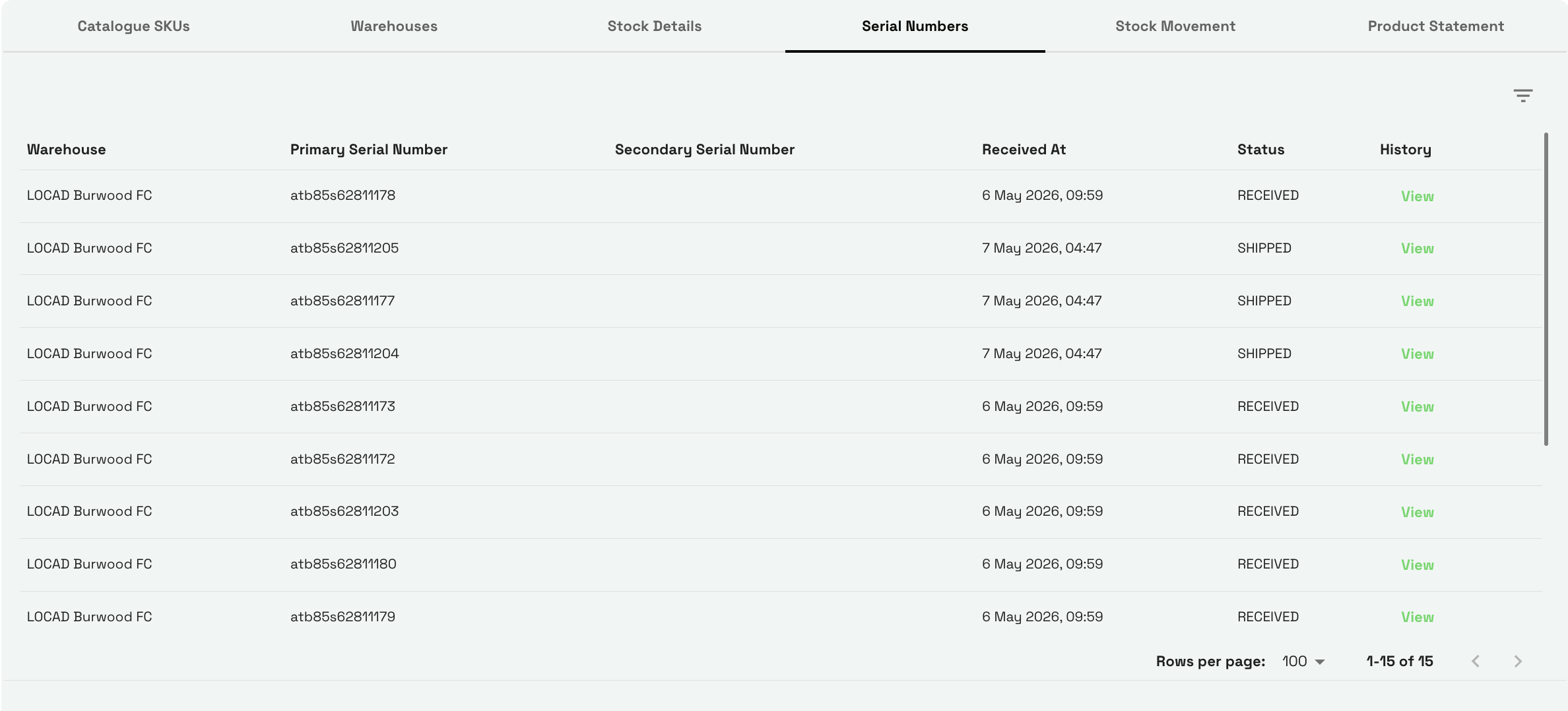
- Inventory Registration: Once scanning is complete, each serial number is recorded in inventory with a Received status and becomes available for fulfillment.
Step 3: Outbound Picking & Scanning
When a customer places an order for a serialized product, LOCAD ensures that the exact unit being shipped is recorded.
- Order Processing: An order is created and sent to the warehouse for picking.
- Mandatory Serial Number Scan: Before packing can be completed, the warehouse operator must scan the serial number of the physical unit being shipped. This step is mandatory. The shipment cannot be packed or dispatched until the serial number has been successfully scanned.
- System Update: Once shipped, that specific unit's serial status transitions to Shipped in LOCAD, and the number is permanently linked to the customer's order record.
Step 4: Tracking History & Return Verification
- Full History Access: You can search a serial number in the LOCAD Merchant Portal at any time to view its complete audit trail (when it was received, which inbound shipment it came from, and which order it was shipped under).
- Secure Returns: If a customer requests a return, the warehouse staff will scan the returned unit's serial number. LOCAD compares it against the serial number originally shipped for that order. If the numbers match, the return proceeds normally. If they do not match, the return can be flagged for investigation or dispute, helping prevent fraudulent returns and product swapping.
Things to Note
Important
Stock Must Be Zero to Toggle Settings You can only enable or disable the Serial Number Enabled flag on a product if its current physical inventory stock in the warehouse is exactly 0. If you have active stock in the warehouse, you must sell through or pull out the inventory before toggling this configuration.
Tip
TIP
Primary vs. Secondary Serial Numbers. Some electronics include both a primary serial number (e.g., Device SN) and a secondary tracking number (e.g., IMEI for cellular devices). LOCAD supports capturing both numbers during receiving and shipping for complete compliance.
FAQs
How is Serial Number Management different from Batch/Expiry Tracking?
Answer: Batch tracking manages groups of items manufactured together (e.g., all food items made in Batch #101 expiring on the same day). Serial tracking manages each individual unit separately (e.g., phone unit A has Serial #123, phone unit B has Serial #456).Can a product be both Expirable and Serial Number managed?
Answer: Yes. High-value perishables, medical devices, or specialized cosmetics can have both Expirable and Serial Number Enabled settings active at the same time.